








Create product tours
Contents
Product Tours is currently in private alpha. Share your thoughts and we'll reach out with early access.
Currently only available on the web. Requires posthog-js >= v1.324.0.
Product tours are multi-step walkthroughs that highlight elements in your UI. You build them visually using the PostHog toolbar directly on your site.
Launch the toolbar
- Go to Product tours in PostHog
- Click New tour and select Product tour
- Enter the URL where you want to build the tour and click Launch
Define your tour steps
The Toolbar is where you'll build the "skeleton" of your tour. Create steps, optionally attached to elements on your page, and configure some basic settings for them.
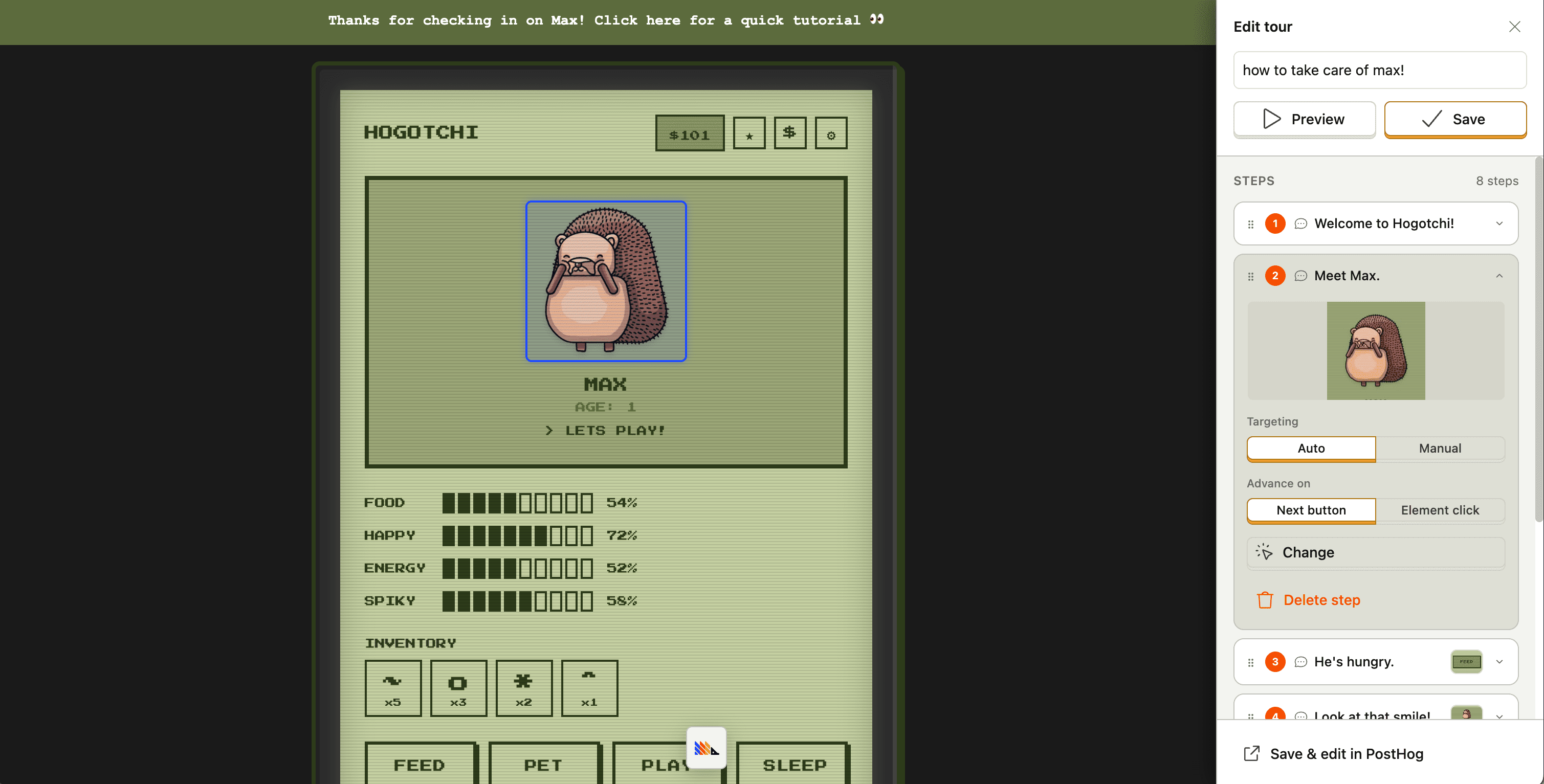
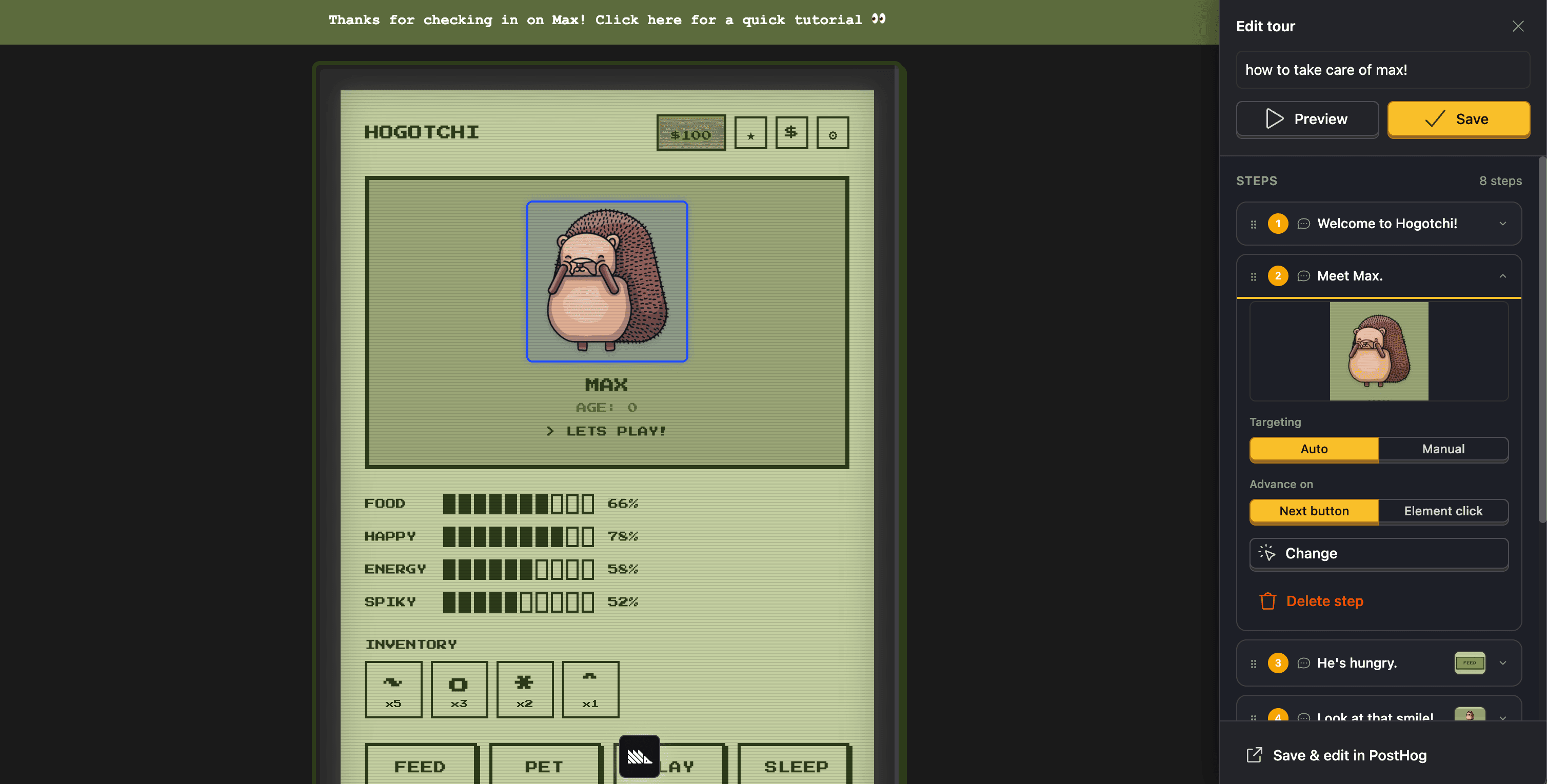
When attaching elements to steps, you'll be able to choose between Auto and Manual targeting:
- Auto: simply click your element and we'll collect data about it so we can reliably find it again during tours
- Manual: you provide a CSS selector for us to target the element
To learn more about auto vs. manual element targeting, see Element selection.
Record your session (optional)
When you first open the toolbar, you'll see a modal asking if you want to enable session replay. If you opt in, PostHog records your DOM interactions while you build the tour – not your screen, camera, or other tabs. This helps us understand how you build product tours so we can build a better product!
The recording respects any .ph-no-capture privacy markers on your site. All inputs are masked by default.
Edit step content
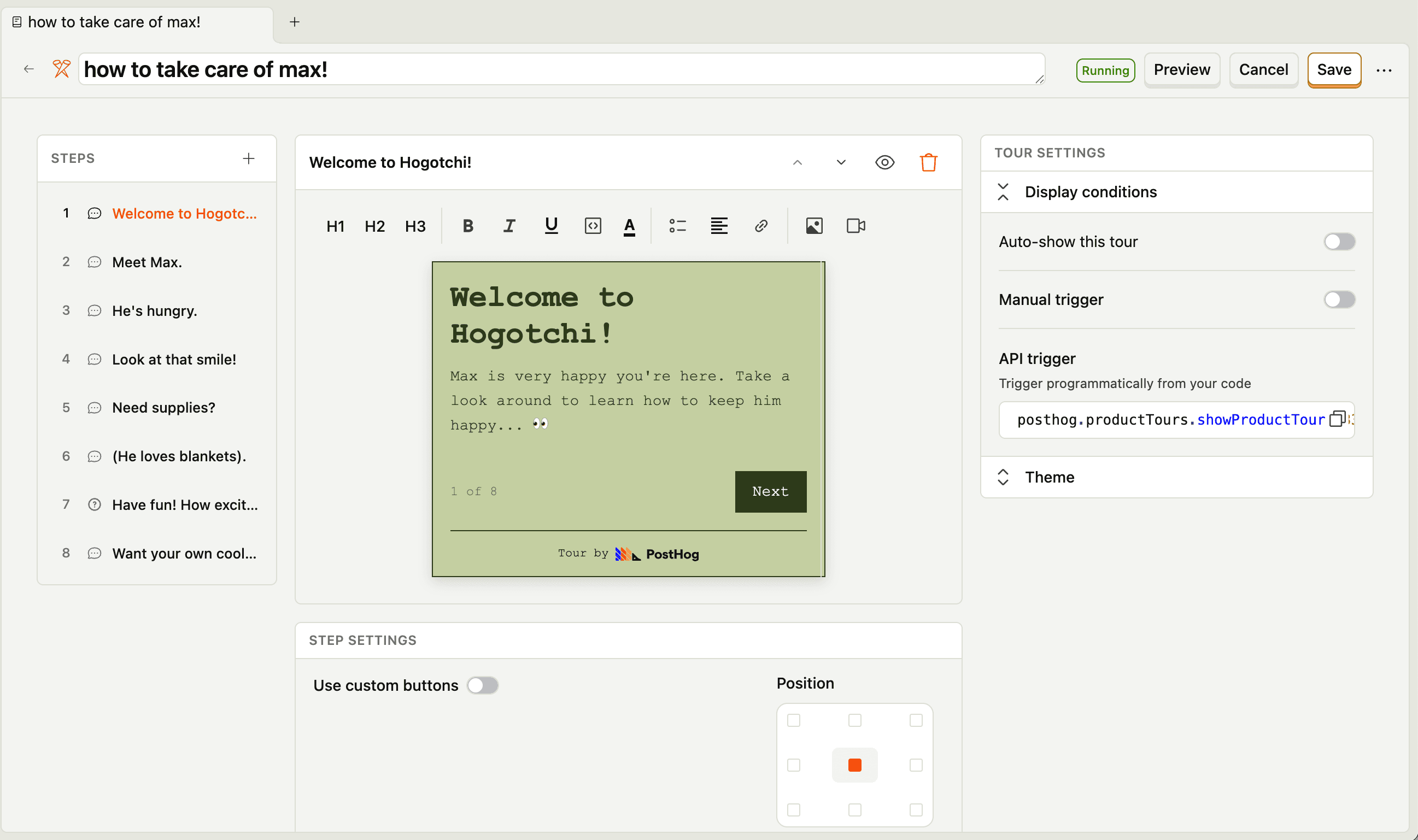
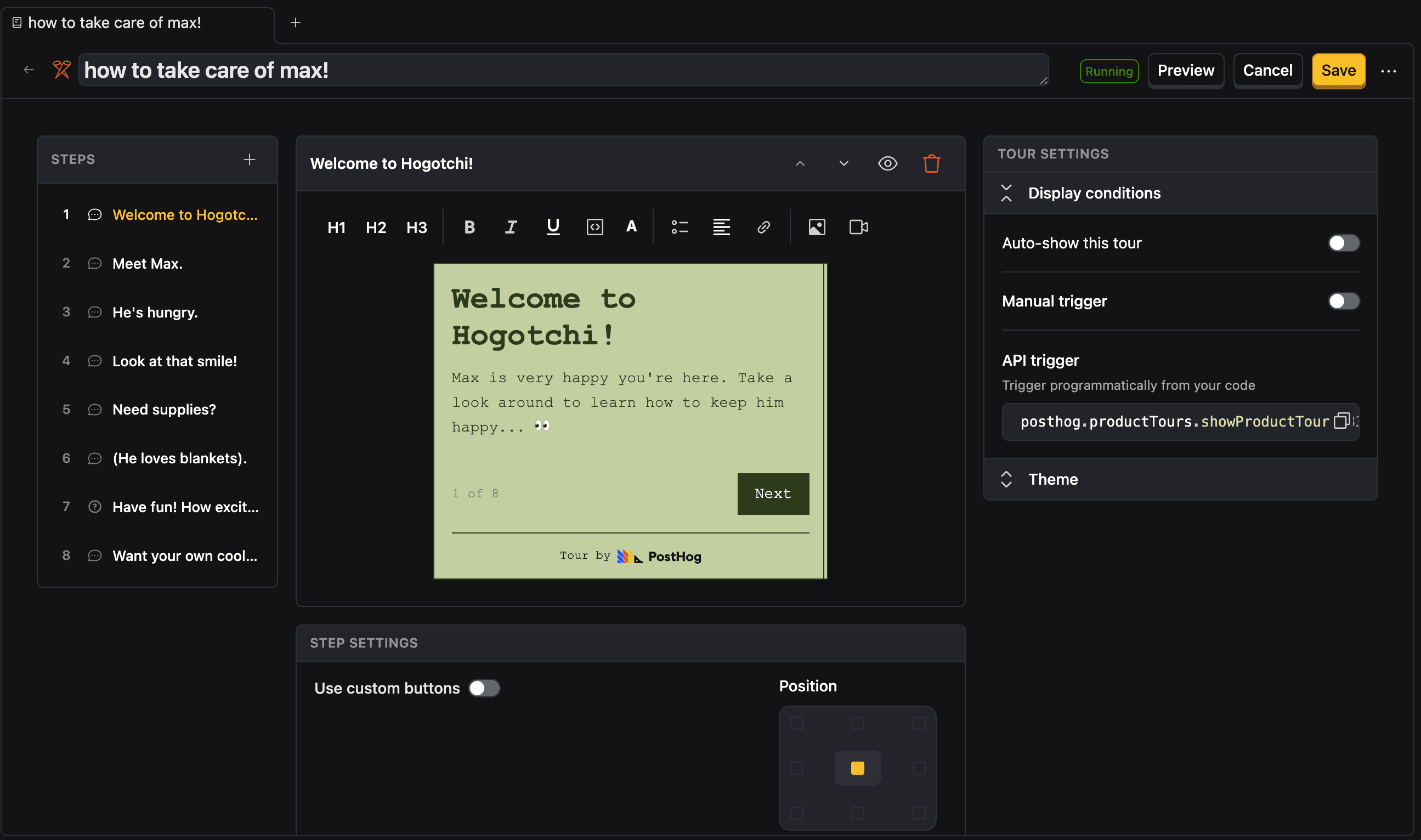
After defining your tour structure in the toolbar, edit step content (text, formatting, images) in the main PostHog app.
Tour-wide settings like styling and display conditions are available in the right panel.
Below the content editor, you'll find step-specific settings like button configuration and targeting precision.
Step progression
Steps can progress via buttons or when the user clicks the target element. Guide users through real interactions, not just info.
Step types
Pop-up steps
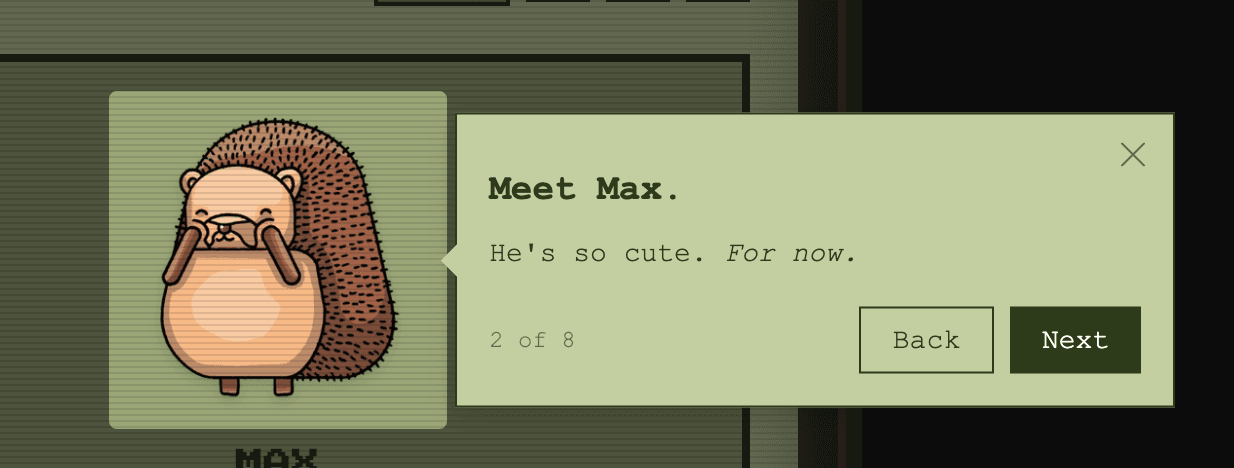
The default. Show a tooltip with your content, positioned anywhere on the screen or attached to a particular element on the page.
Survey steps
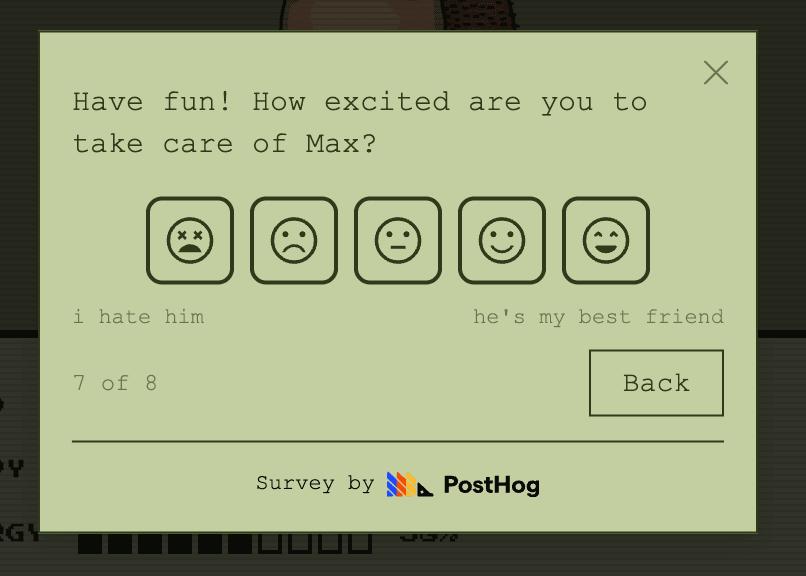
Embed a survey question mid-tour (open text or rating scale). Responses are captured as events.
Save and launch
Click Save in the toolbar to save your tour as a draft. When ready, launch the tour.